Anexo is a commercial metering service for large consumption connections.
Anexo Pro account #
An Anexo Pro account is required for Meterbeheer to retrieve measurement data. It should be shut off by the user of the connection.
Authorize Meterbeheer #
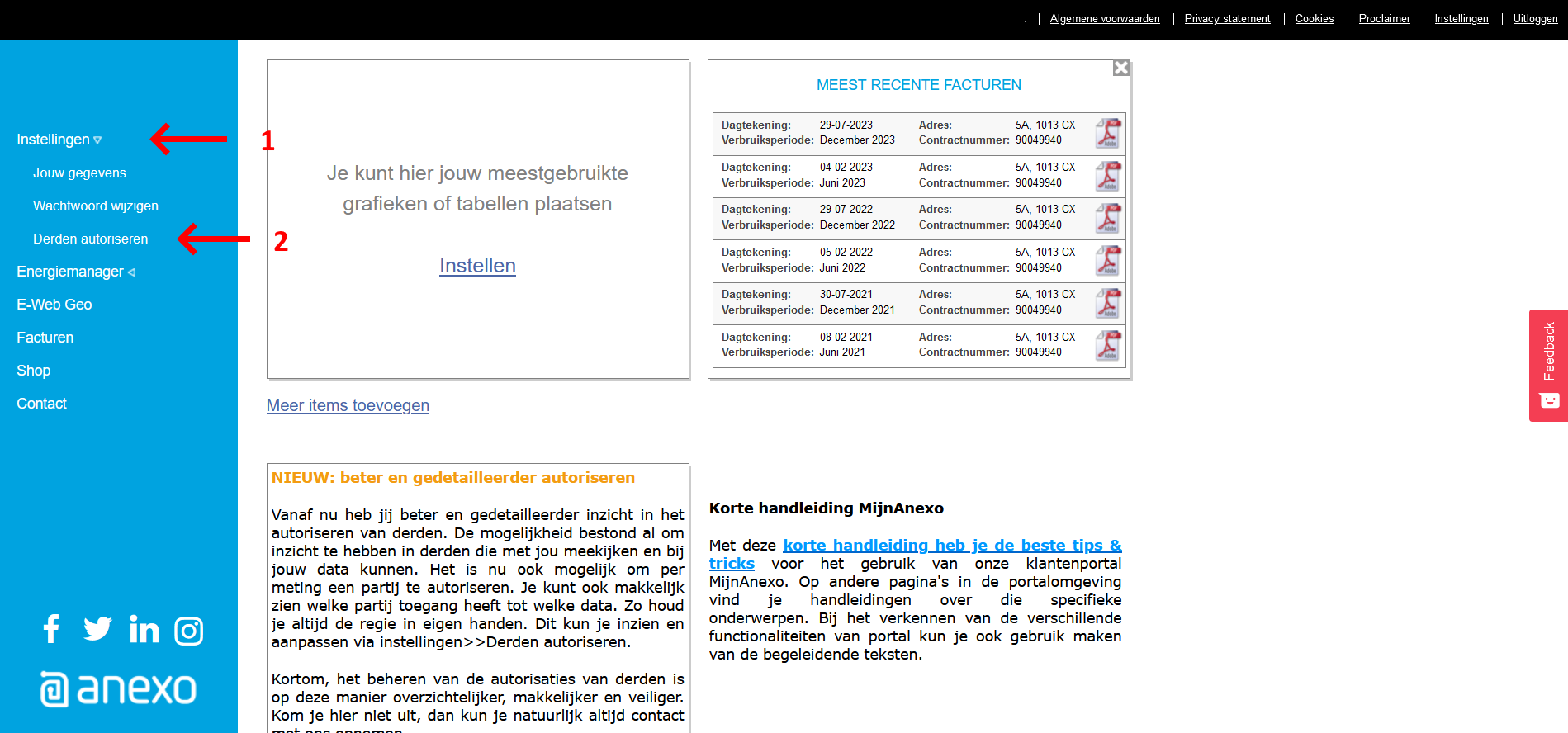
Anexo’s online dashboard is https://anexo.energy/. To retrieve measurement data by Meterbeheer, Meterbeheer must be authorized. This can be done as follows:
Log in with the Anexo account at https://anexo.energy/
Click on “Settings (Instellingen)”. See arrow 1.
Click on “Third Party Authorization” (Derden Autorisatie). See arrow 2.
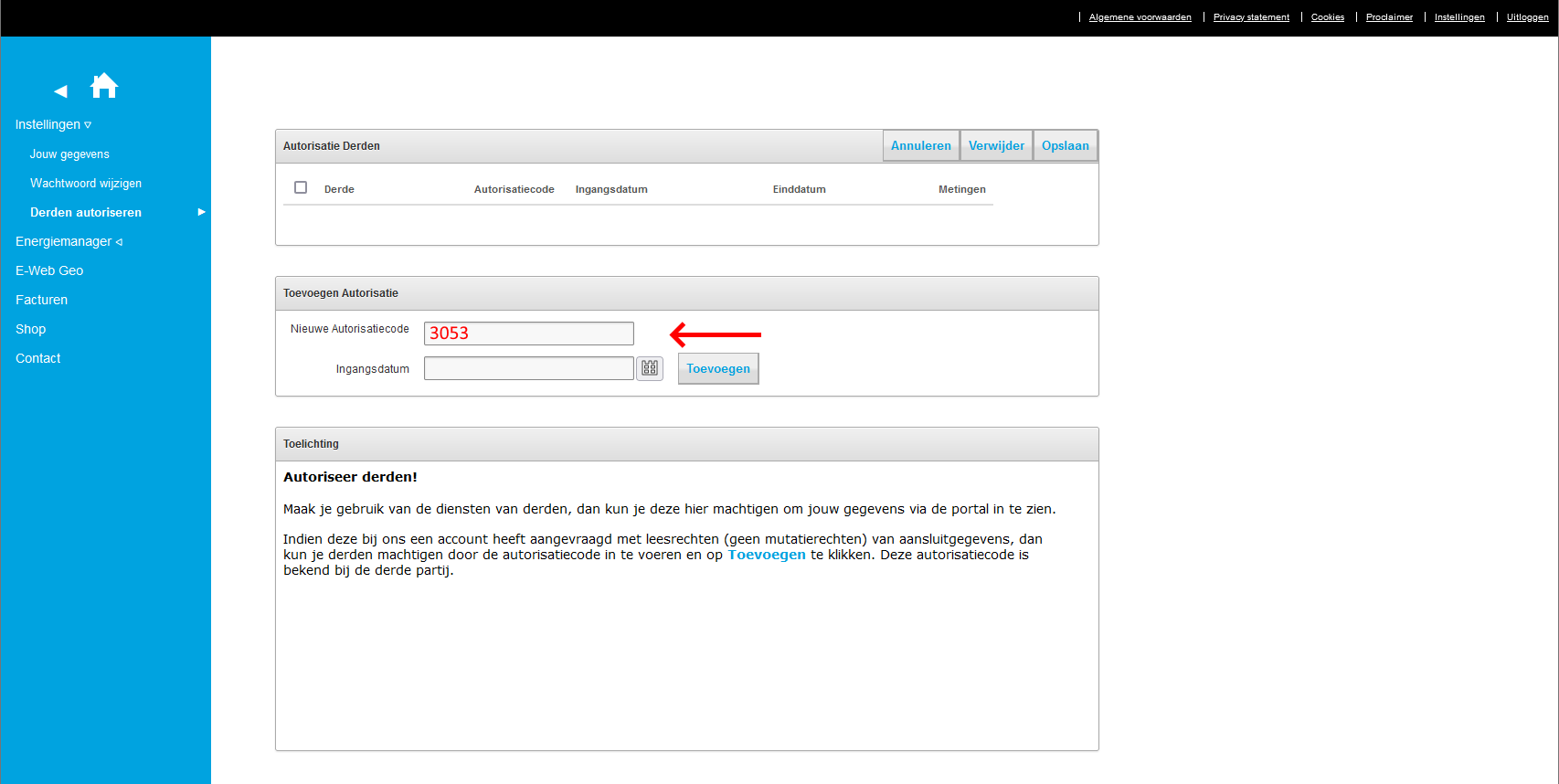
Authorization code: 3053
Name: Meterbeheer (CHJ Internet)
Meter ID (Meter number) #
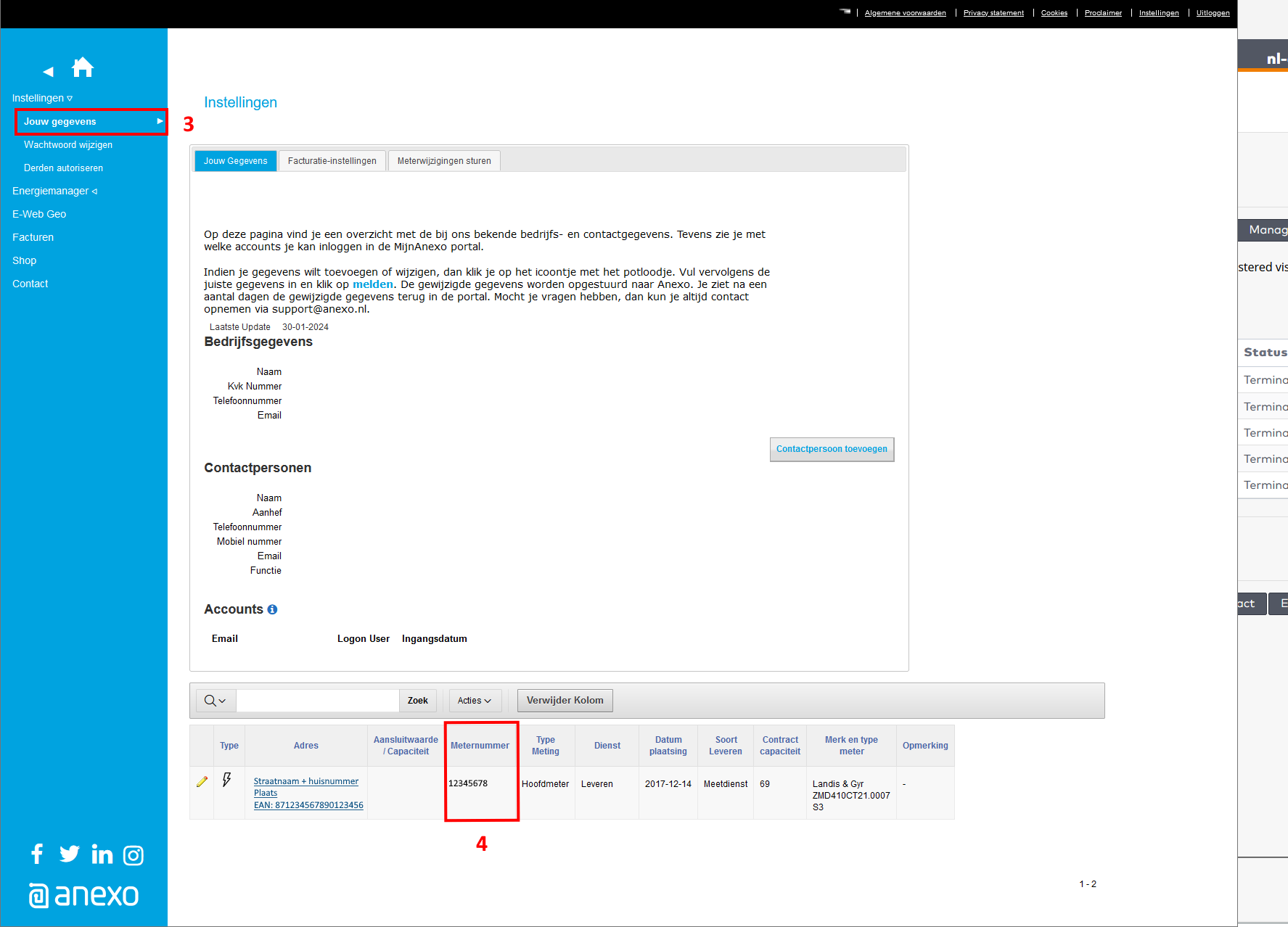
The meter number is available in Anexo’s online dashboard. Through “Instellingen” (3), the meter number is listed with the meter data (4).
Client ID & Client Secret #
Meterbeheer uses its own Client ID and Client Secret for Anexo meters. This means these no longer need to be requested from the connection user.
The input fields can be left blank.
Channels #
The default channels for Anexo are as follows:
- ELI: electricity (supply)
- ETLI: electricity feed-in
- GI: gas consumption
Units #
Electricity is offered as consumption in quarter-hourly values. Gas is offered in hourly values.
Historical dates #
Meterbeheer offers all data from an Anexo meter from the effective date of when the owner of the connection entered into the contract with Anexo.